
If you can still access your phone via fingerprint or facial recognition, please back up important data first.
Confirm whether the password has been changed Check if anyone else (like friends or family members) has used your phone and changed the lock screen password.
Check multi-user mode Different users have different lock screen passwords in multi-user mode. Swipe down the control center on the lock screen, tap the red profile icon, and switch back to the "Owner" profile to try again.

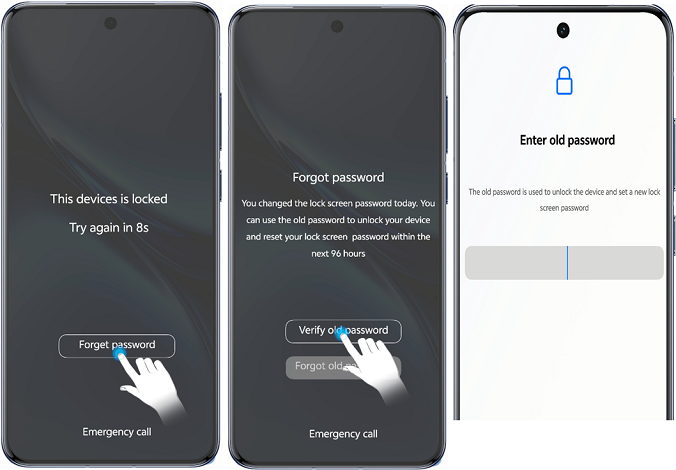
Reset with the old password If you reset your lock screen password within 96 hours and forget the new one but remember the old, you can use the old password to reset it. This option will be unavailable if you enter the old password incorrectly 5 times during the process. Note: This feature works on devices running Funtouch OS 15+ and OriginOS 6.0+.
Reset via security questions Some earlier models support resetting the lock screen password with security questions. If you remember the answers, enter the wrong password 5 times on the lock screen, tap "Forgot password", and answer the questions to reset.